Follow these steps to recover data files in Acronis Backup Modules:
- Login to your cPanel account.
- Search “Acronis Backup” in the search bar and click on “Acronis Backup” to list the dates of the available backups.
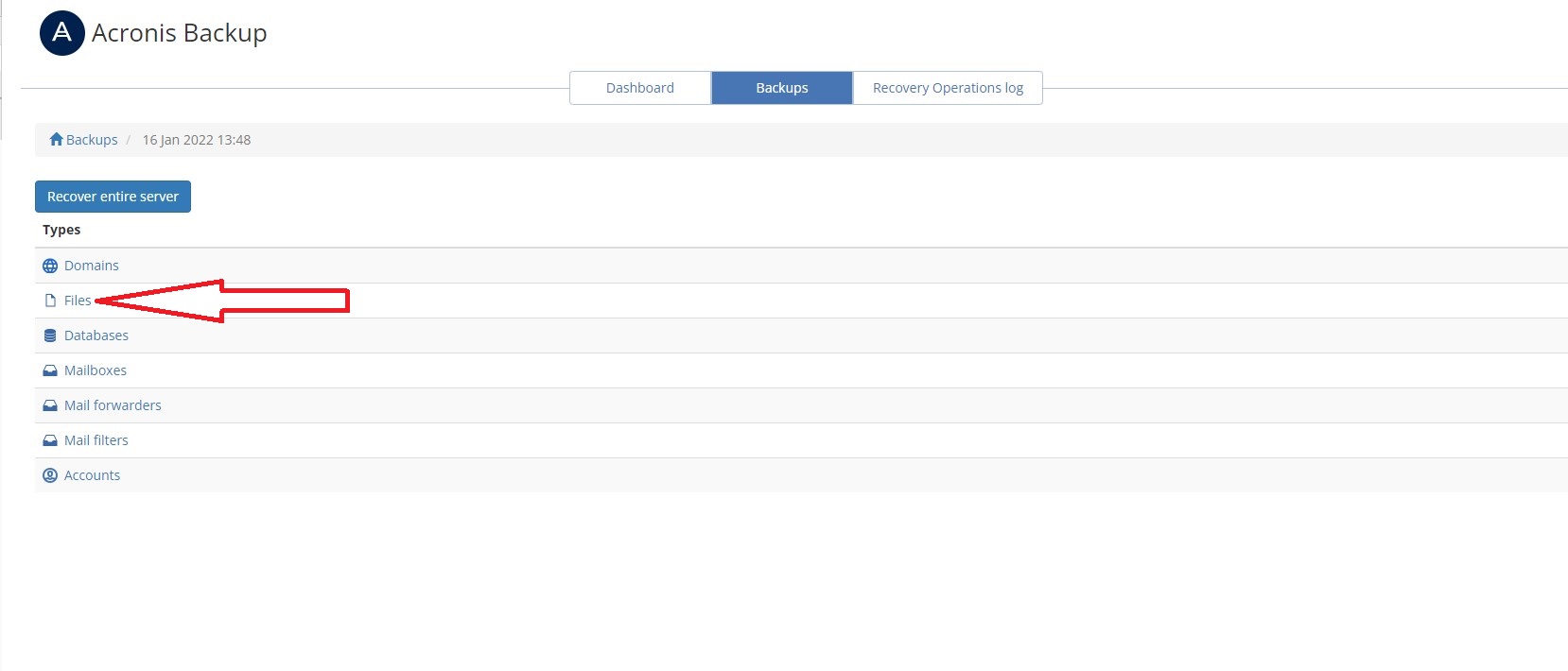
- Click on the backup date from where you want to restore your files. Click on “Files”, it will list the files and directories.
- Select the files and you will be able to recover or download the files.
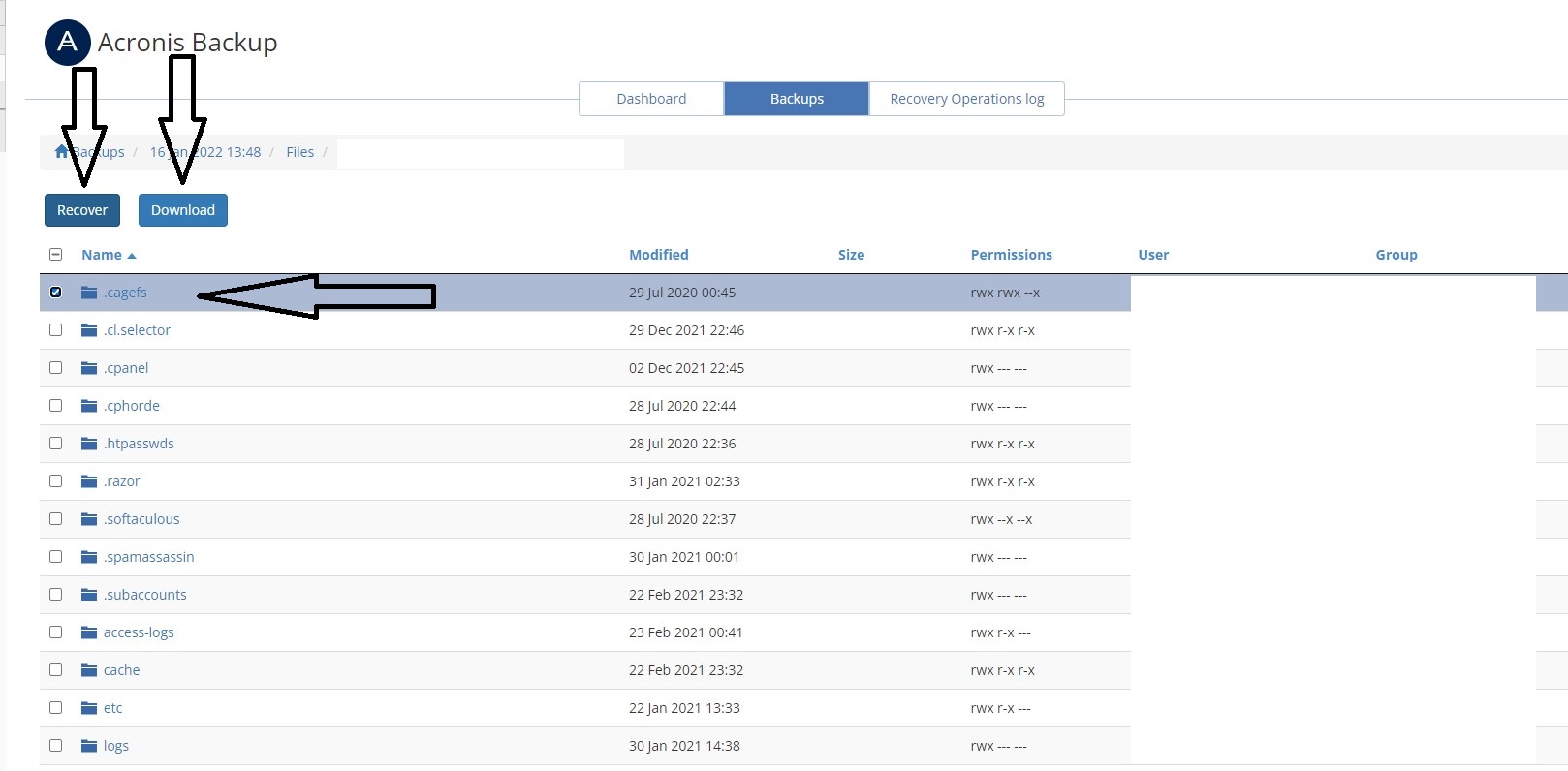
The same steps apply to recover/download the “Domains”, “Mailboxes”, “Mail forwarders”, "Databases" etc from the backups.